

Create from a prompt
Create a cobalt-blue mug with “GOOD DAY” lettering from a prompt.
MEET IDEOGRAM 4.5
Generate a new image, make a precise change, or rewrite the words within a design. Bring your next idea into view with Ideogram 4.5.
Generate and precisely edit · Download your results

Create a product image from a prompt.

Change the color. Keep the fabric and lettering.

Rewrite the words. Keep everything around them.
Generated and precisely edited with Ideogram 4.5 via fal
Start from a prompt or upload your image. Choose quality, create a result, and keep refining.

Start with a prompt
MEET THE MODEL
Ideogram 4.5 creates images from text and makes focused changes to existing pictures. Its defining update is precise editing with less drift across successive changes.
Create a cobalt-blue mug with “GOOD DAY” lettering from a prompt.

Change only the glaze to sage green. Compare the handle, highlights and lettering.

Rewrite “GOOD DAY” as “SLOW DOWN” in the edited image. Keep the mug and scene consistent.
One mug, three successive versions. Generated and edited with Ideogram 4.5 via fal.
Ideogram 4.0 emphasizes design, multilingual text and layout control. Ideogram 4.5 shifts the focus toward preserving the image you already have while you refine it.
LOOK CLOSER
A generated starting point. A focused edit. Drag the divider to inspect what changed and what stayed in place.
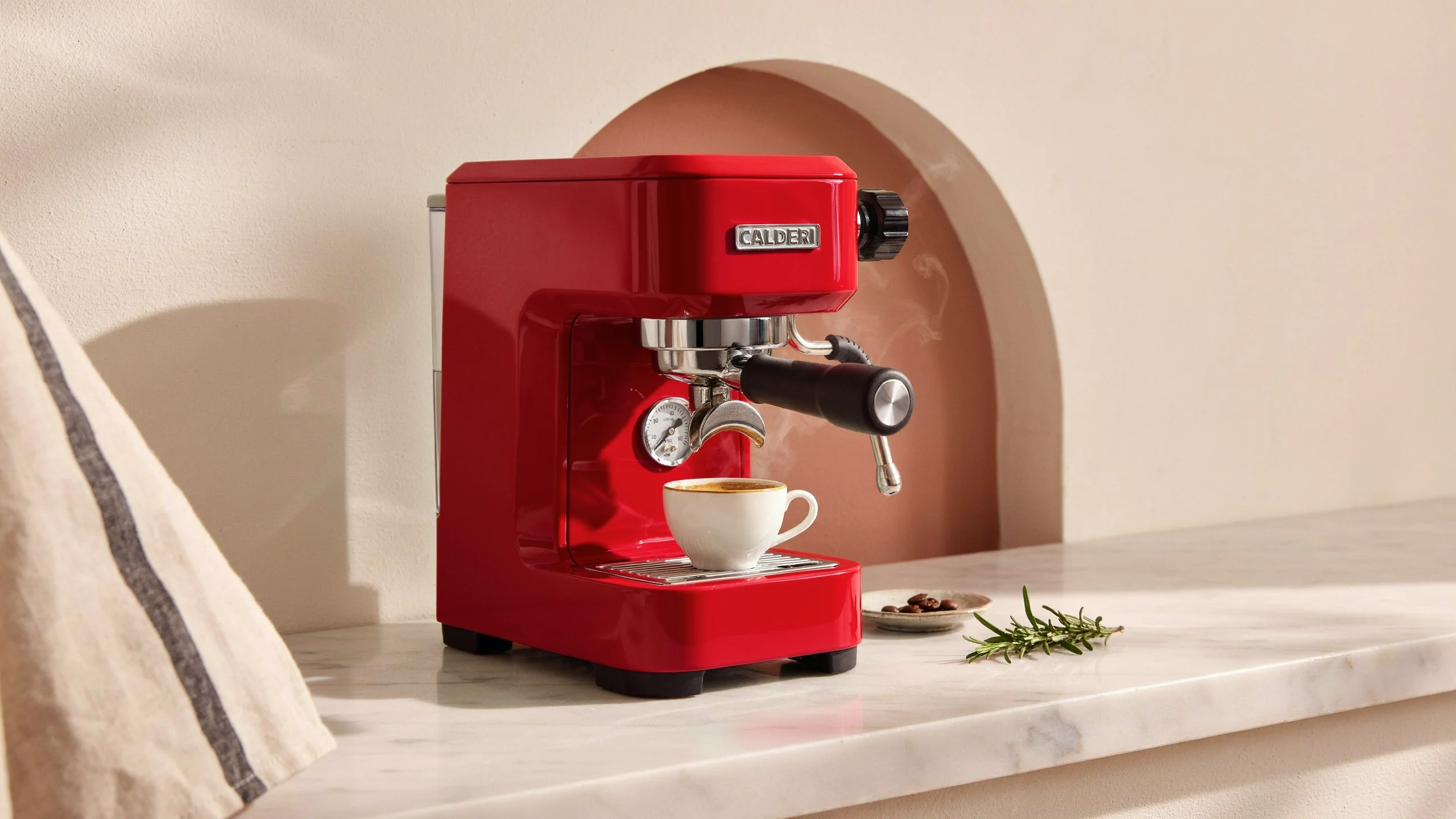
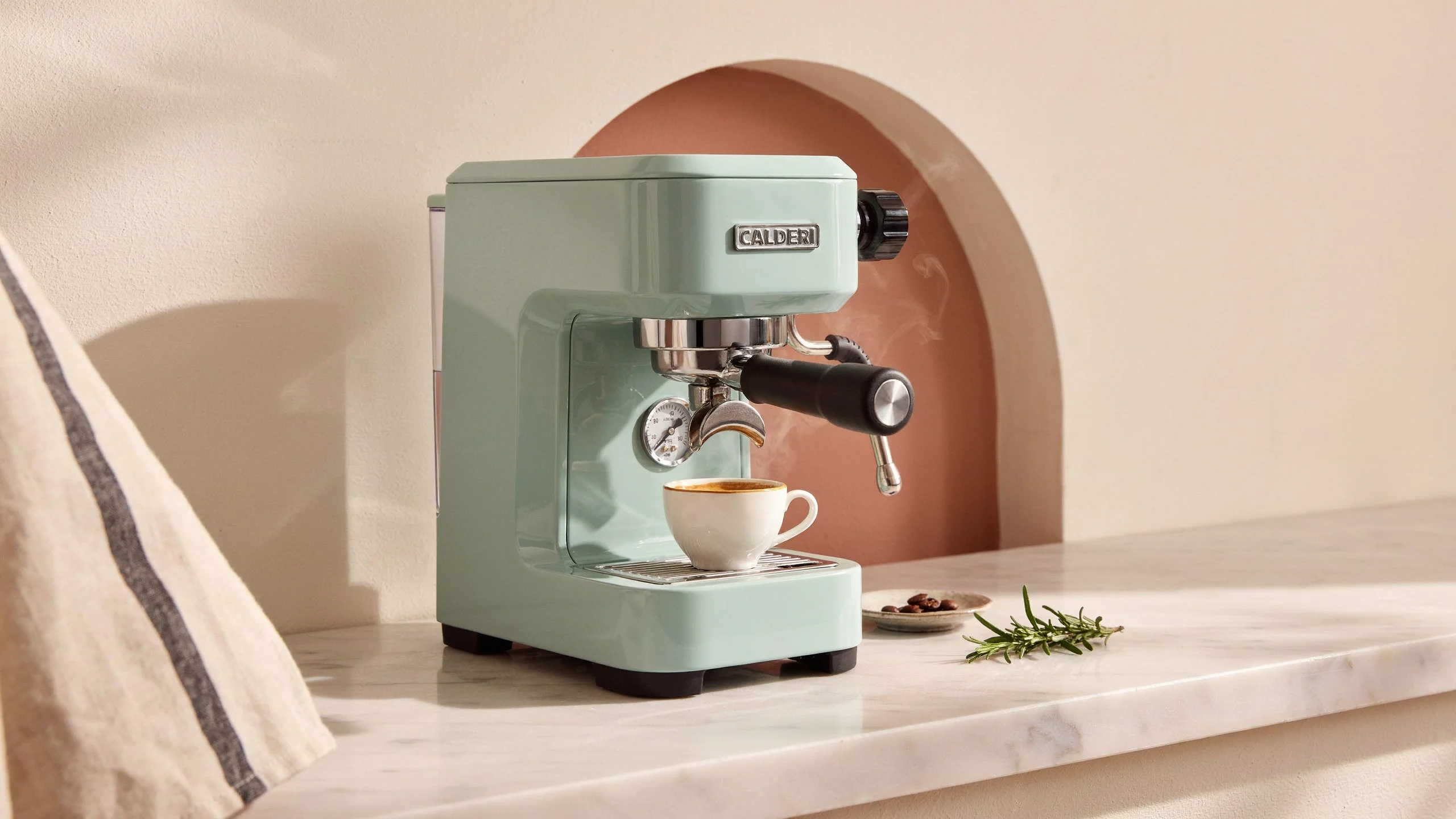
01 / IDEOGRAM 4.5
Compare the original mint finish with the first red-color edit. Look closely at the badge, chrome and cup.
Change the enamel from mint green to a glossy cherry red
Short excerpts from the official example instructions.
Try this kind of edit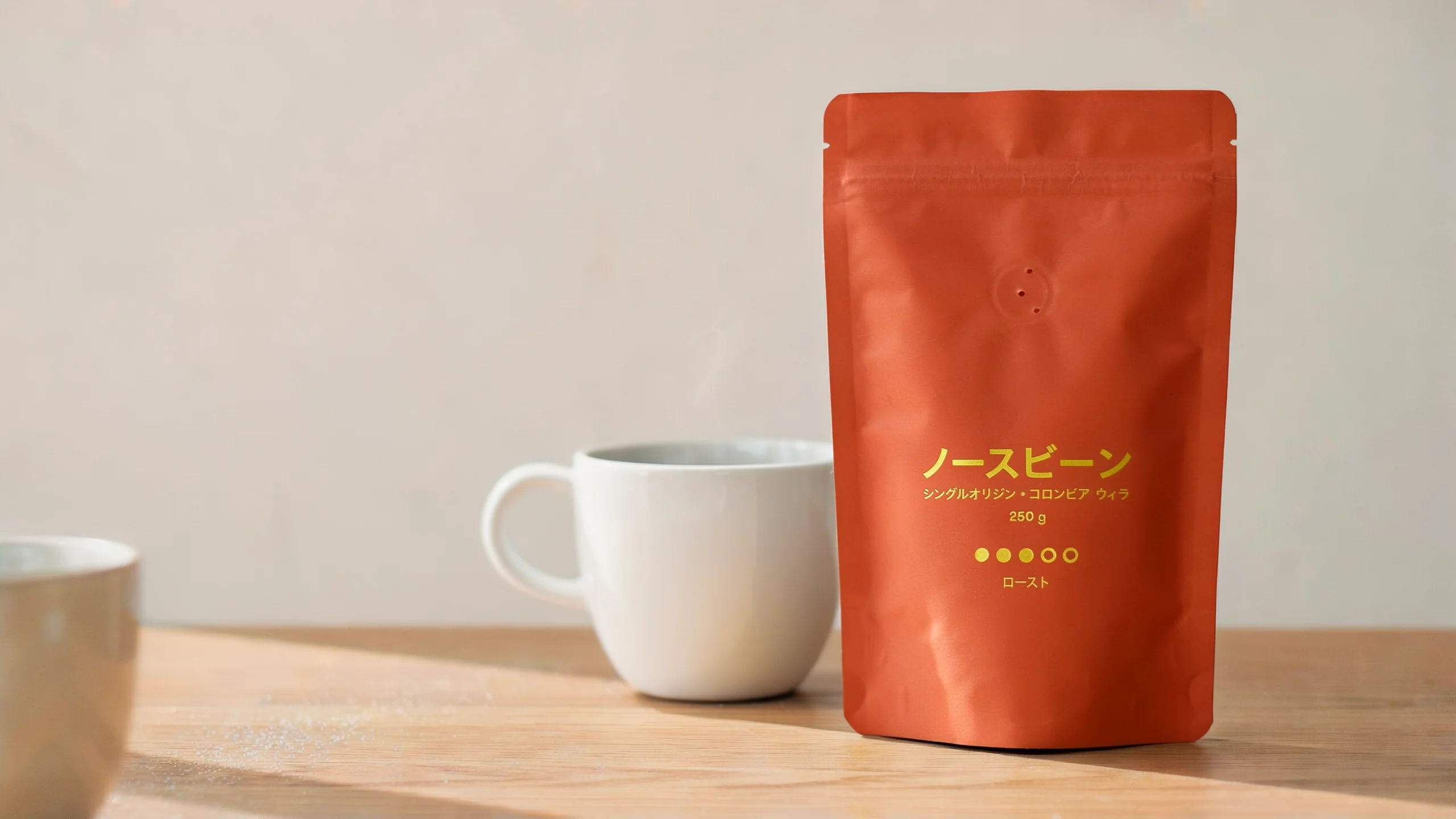
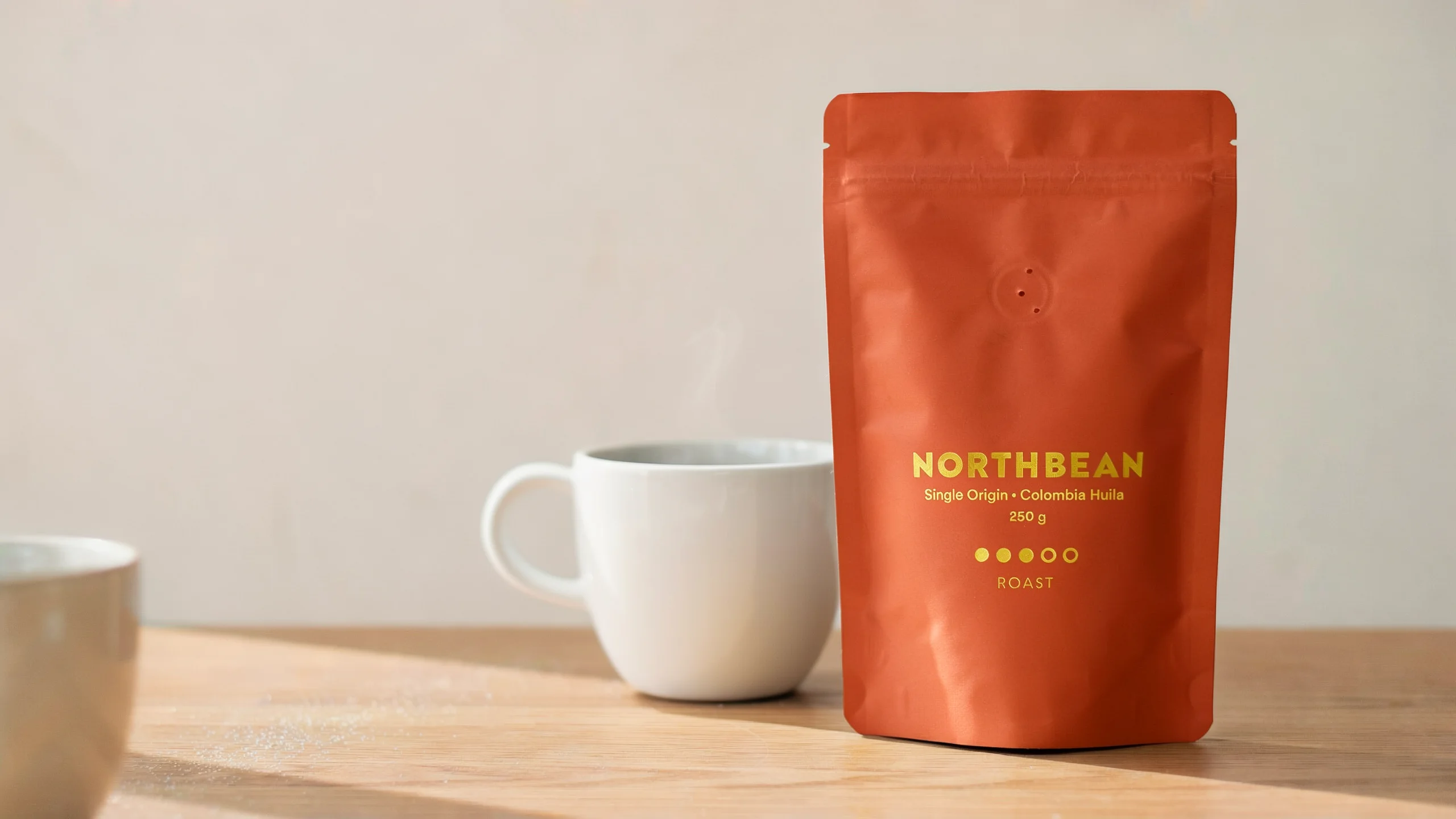
Compare consecutive versions before and after the Japanese-text edit.
Translate all text on the pouch
 Text-to-image
The unedited starting frame of an official product-photo sequence.
A pair of knit running shoes
Official Ideogram showcase · not generated by this website
CHOOSE FOR THE TASK
Compare the workflow you need, rather than a single overall winner. These are documented capabilities, not scores from a test run by this website.
| Your task | Ideogram 4.5Precise Edit via fal | Nano Banana2.1 / Pro | GPT Image2.5 · Responses API | Ideogram 4.0Open design model |
|---|---|---|---|---|
| Refine a product detail | Precise Edit emphasizes retained details. | Reference-based editing; inspect the result. | Image inputs with editing instructions. | Check the specific reference-edit workflow. |
| Create text-led designs | Generate, then refine the lettering. | Pro supports multilingual design work. | Combine image and text instructions. | Multilingual text and layout control. |
| Make repeated changes | Designed to reduce drift between edits. | Conversational editing and consistency features. | Multi-turn editing with image context. | Evaluate successive edits on your own image. |
For a product colorway or several small revisions, try Ideogram 4.5 Precise Edit and compare the retained details yourself.
Version and workflow matter. Official examples are selected by the model maker; they do not establish universal superiority.ROOM FOR YOUR NEXT IDEA
See the cost before every generation or edit. Start small, then buy a one-time credit pack.
Try generation and editing without signing in.
4 free credits per day
Up to 4 credits per visitor and IP per day
Subject to the shared daily free pool. Free use pauses when today’s pool is exhausted; availability is not guaranteed.
Start creatingRoom to create and refine.
100 credits added to your balance
Up to 50 Standard images or edits
More credits for a larger project.
260 credits added to your balance
Up to 130 Standard images or edits
Credits remain available until used while the service operates.
Confirmed failed requests return reserved credits. An uncertain task stays reserved until its outcome is checked.
View pricing detailsPrices in USD. Applicable taxes are shown at checkout.
The fal model is marked for commercial use. You remain responsible for rights to source images and third-party content; buying credits does not grant exclusive rights to a result.
Commercial-use model listing ↗BEFORE YOU CREATE
Ideogram 4.5 is an AI image generation and editing model built for precision. Its standout feature is Precise Edit, which lets you make targeted changes to an existing image while preserving details such as shapes, colors, and textures across multiple edits.
Ideogram offers a free plan with limited usage for eligible accounts. Access to Ideogram 4.5 and its editing features may depend on your plan or the platform you're using. Paid options provide additional credits and generation capabilities.
On this website, no login is required for up to 4 free credits per visitor and IP each day (up to 2 Standard requests). Free usage is subject to our shared daily free pool and pauses when the pool is exhausted. The allowance resets at 00:00 UTC; it is separate from Ideogram’s own plans.
Yes. With Precise Edit, you can change a specific object, color, material, or detail while leaving the surrounding image untouched. You can also use a mask to define exactly which area should be edited.
This workspace currently supports one source image and a prompt, without mask controls. Inspect retained details in each result; outcomes can vary.
Ideogram 4.5 is designed to minimize visual drift during repeated edits. It helps preserve the shape, position, texture, and appearance of objects as you make changes. Consistency is strongest when you preserve the original image and edit only the necessary areas.
Yes. Ideogram 4.5 supports editing selected regions of high-resolution images without downsizing the entire original. It preserves unedited areas and helps blend the modified region back into the image, making it useful for product photography, advertising, and detailed design work.
The regional crop-and-stitch workflow is a model capability. This workspace uses fal auto sizing, which may resize large inputs; original-resolution crop-and-stitch editing is not currently provided here.
Commercial use depends on the terms of the platform you're using and your rights to any uploaded source images. Before using outputs for advertising, merchandise, or client projects, check the applicable licensing terms and ensure you have permission to use any third-party content.
YOUR NEXT IMAGE STARTS HERE
Start from a prompt or a picture. Create a first version, refine the details, and download the result you want to keep.